Start free

One workspace for frontier AI.

Claude, GPT, Gemini, Grok, GLM and more in one place: chat with web sources, deep research, docs and slides, images and video, voice, and one API key. Start free, no card needed.

Start freeTry guest chatGuest chat needs no account.
  • 35 models from 10 labs
  • $0 a month to start
  • −30% API prices vs official rates, on eligible models

Scroll or use the arrow keys: 16 slides.Scroll, or swipe sideways for the next slide: 16 slides.

Models from 10 labs, one switcher.

35 models in one chat: Claude, GPT, Gemini, Grok, GLM and more.

  • Every model, one switcher

    Change model at any point in a conversation, without starting over.

  • Long context

    Long threads and large documents stay in view on models with very large context windows.

  • Reasoning effort

    Choose how hard a model thinks before it answers, on models that support it.

  • Fast mode

    Switch on Fast for quicker replies from the models that offer it.

  • 1M tokens of context on 32 models
  • Low to Max reasoning effort, on models that support it

Guest chat with GPT-6 Luna works without an account.

Star chart of the Frontier models constellation: 4 stars, one for each entry of the list on this slide.
  • AnthropicClaude Opus 5.5 · Claude Haiku 5.5 · Claude Sonnet 5.5 · +7 more
  • OpenAIGPT-6.1 Sol · GPT-6.1 Terra · GPT-6 Sol · +5 more
  • GoogleGemini 3.8 Flash · Gemini 3.1 Pro
  • xAIGrok 4.7 · Grok 4.6 · Grok 4.5
  • Z.AIGLM-5.3 · GLM 5.3 Flash · +1 more
  • DeepSeekDeepSeek V4.1 Flash · +1 more
  • Moonshot AIKimi K3.1 Pro · Kimi K3 · Kimi K2.8 Preview · +1 more
  • MiniMaxMiniMax M3
  • QwenQwen3.8 Flash
  • TencentHy4 Preview

Derisked models: fewer refusals for legitimate work.

Most models are trained for a consumer audience, so they decline work that is perfectly legitimate. A de-risked model is a modified version of the original: its weights have been edited to take out that trained reflex to say no, so it refuses far less.

For adults (18+). Use is governed by our Terms of Service, which prohibit illegal and harmful use.

  • Always labelled: marked in red in chat, on pricing and in the API model list
Star chart of the de-risked models on Vani: 3 stars, each ringed in red, beside its lab. The list below gives the same models with their API prices.
  • De-risked DeepSeek

    DeepSeek V4.1 Flash Derisked

    Fewer refusals (18+): follows your instructions more closely. Vani's usage rules still apply.

    Context
    1M tokens
    API, per 1M tokens
    $1.30 in · $2.60 out
  • De-risked Z.AI

    GLM 5.3 Derisked

    Fewer refusals (18+): follows your instructions more closely. Vani's usage rules still apply.

    Context
    1M tokens
    API, per 1M tokens
    $3.90 in · $6.50 out
  • De-risked Moonshot AI

    Kimi K3.1 Pro Soft-Derisked

    Fewer refusals than standard Kimi K3.1 Pro, more conservative than GLM 5.3 Derisked.

    Context
    1M tokens
    API, per 1M tokens
    $5.00 in · $7.00 out

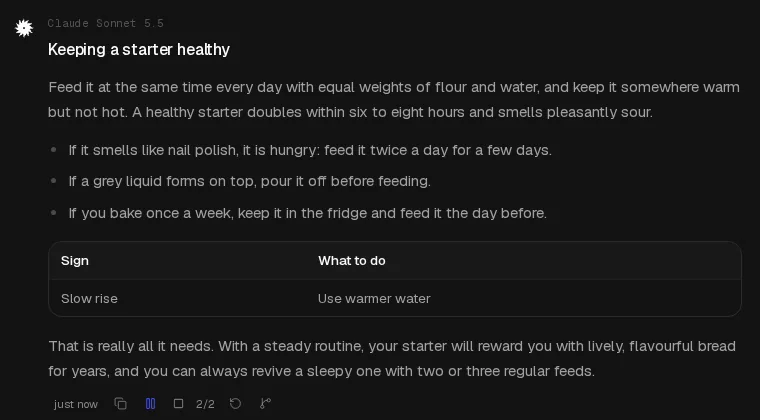
Answers with sources.

  • Web search with sources

    Vani searches the web first and cites the sources it used.

  • Bring your files

    Attach PDFs, Word documents, CSV files and images, then ask about them.

  • Charts, diagrams and math

    Replies can draw charts and diagrams, typeset formulas and offer quick choices you can click.

  • Fork from any message

    Fork the conversation at any message to try another direction; the original stays intact.

  • Temporary chats

    A conversation that is not added to your history, for quick questions.

  • Actions on every message

    Hover or tap a message to see when it was sent, and copy, edit, retry or fork it.

  • What's new, in the chat Rolling out

    A one-time note in the chat when something new ships, linked to the full post.
Star chart of the Chat with sources constellation: 7 stars, one for each entry of the list on this slide.
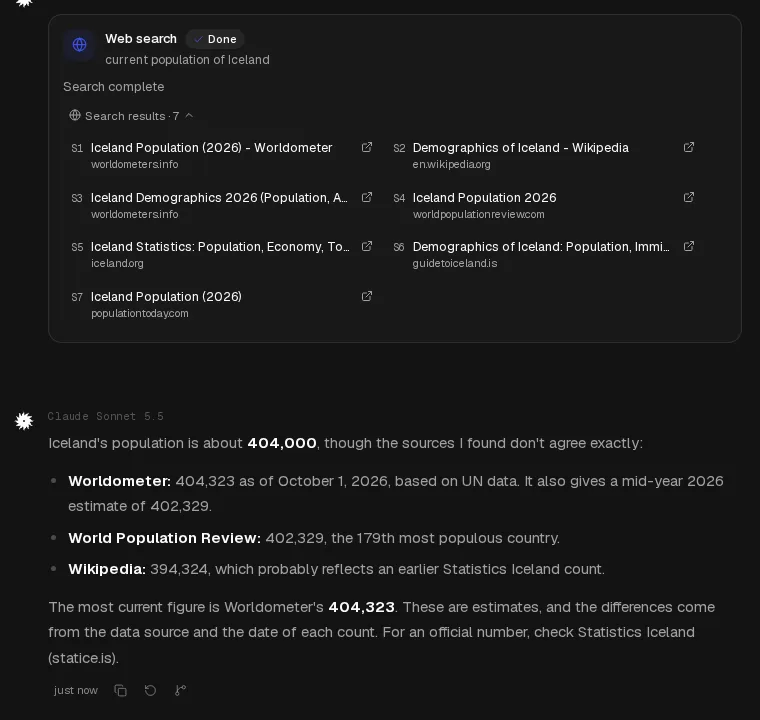
A Vani chat: a web search with seven sources, then an answer that compares what they say about Iceland's population.

Deep research, every source kept.

  • Deep research

    A slower, deeper search that reads more sources and keeps each one beside the answer.
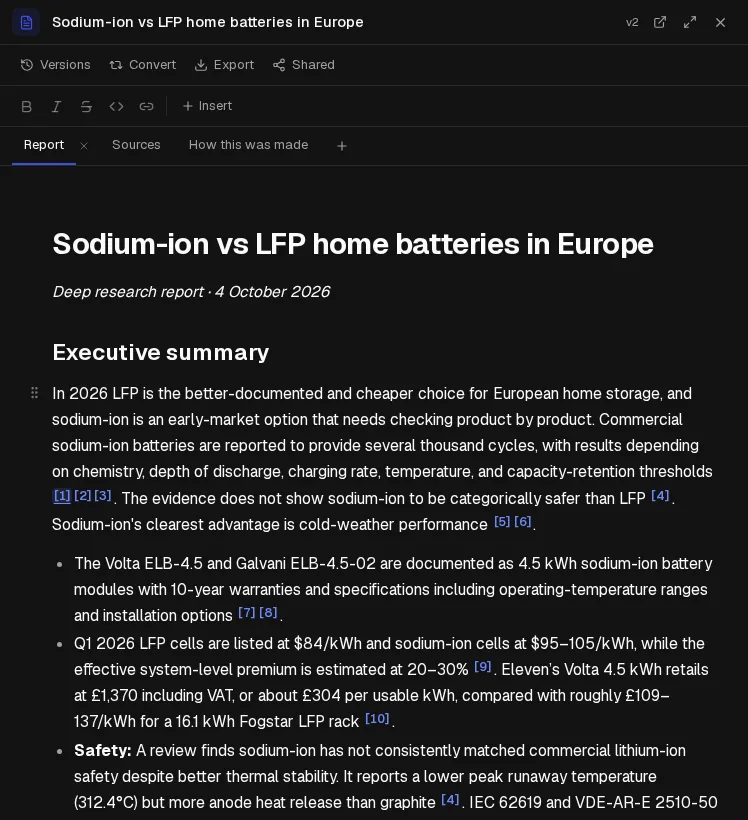
    • The report opens beside the chat, with clickable citations
    • See every source it read, and how the report was made
    • Export it, or share it with a link
Star chart of the Deep research constellation: 1 star and 3 companions, one for each entry of the list on this slide.
A deep research report, 'Sodium-ion vs LFP home batteries in Europe', with numbered citations and tabs for the report, its sources and how it was made.

Ask for a doc, a deck or a design.

  • Docs, Slides and Designs

    Vani writes documents, slide decks and one-page designs you can edit, present, export and share with a link.
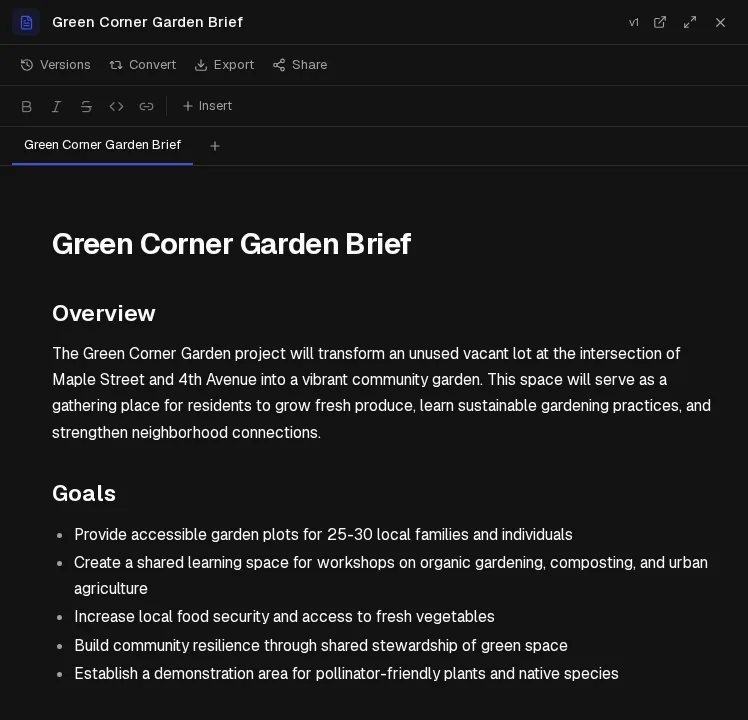
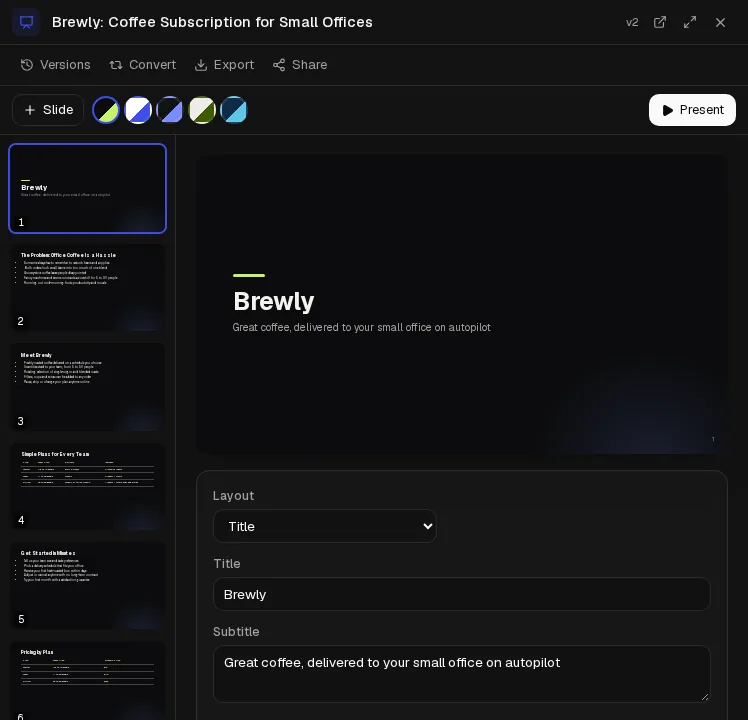
    • Ask for changes in the chat and it updates them
    • Present slides, or export them
    • Every version is kept
Star chart of the Docs, Slides and Designs constellation: 1 star and 3 companions, one for each entry of the list on this slide.
A one-page project brief Vani wrote, open in the document editor.
A document
A slide deck in the editor, with slide thumbnails, layout, title and speaker notes.
A slide deck
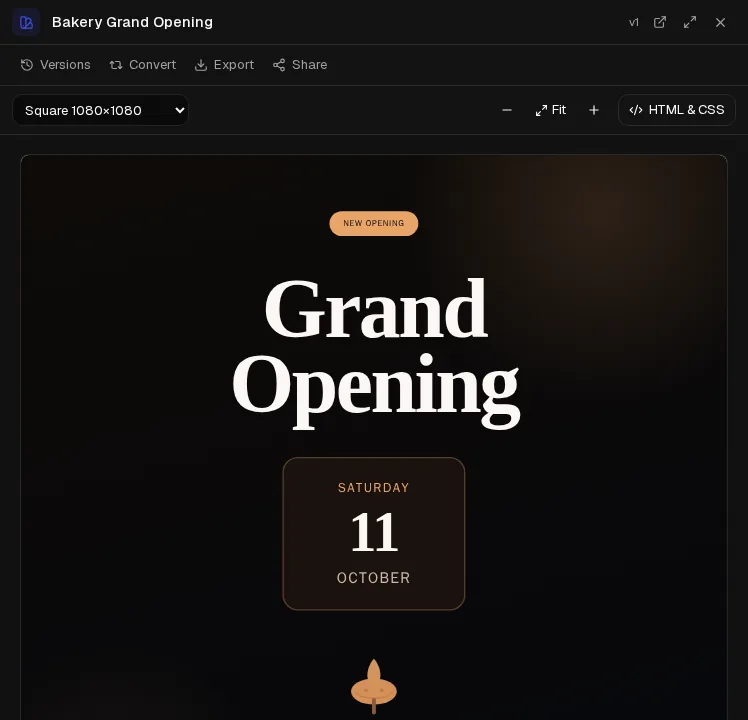
A square social post design announcing a bakery's grand opening.
A design

316 presets, ready to use.

Camera moves, effects, transitions, looks and photo tools: pick a preset, add a photo or a few words, and Studio writes the prompt. 313 of them are on the Free plan.

  • Camera moves 64
  • Effects 105
  • Transitions 20
  • Looks 49
  • Photo tools 75
  • Talking photo 2
  • Cinema 1
  • Vani Studio

    Ready-made looks, camera moves and effects for your photos and videos.

    • Camera moves you can combine in one shot
    • Effects and transitions that turn a photo into a short clip
    • Looks and photo tools, from headshots and product shots to relighting and restoring
    • Characters you can reuse across images and videos
    • A machine-readable “made with AI” label in every image and video file

Talking Photo: Your photo speaks: type a script and pick a voice, or add your own recording. From the Plus plan.


Star chart of the Vani Studio constellation: 1 star and 5 companions, one for each entry of the list on this slide.
  • Aerial Orbit Camera moves
  • Product Spin Effects
  • Sketch to Life Effects
  • Living Memory Effects
  • Glass Break Transitions
  • Cinestill Night Looks

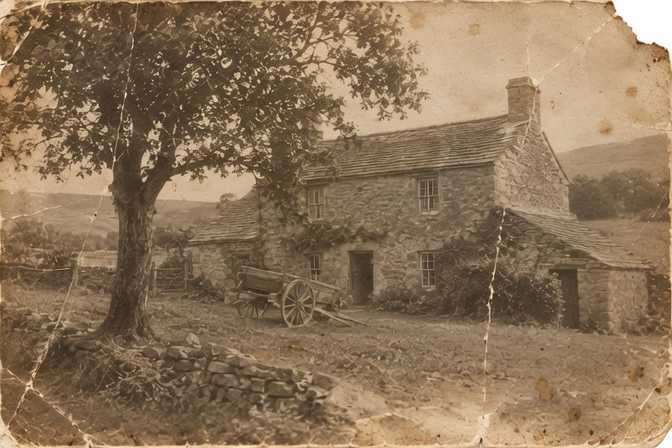
Real results from Vani Studio presets.

Images, video, audio and 3D.

Make an image or a video clip from a prompt or a photo, then edit it, animate it or ask for variations.

  • Images

    Generate an image from a prompt, or upload one and describe the change.

  • Video

    Make a clip from text, animate an image, or set its first and last frames.

  • Media library

    Every image and video you make is kept in one place.

  • Audio and 3D

    Turn text into speech, music or sound effects, and an image into a 3D model, in the same chat.

Image models include GPT Image and Grok Imagine; video models include Seedance and Grok Imagine.
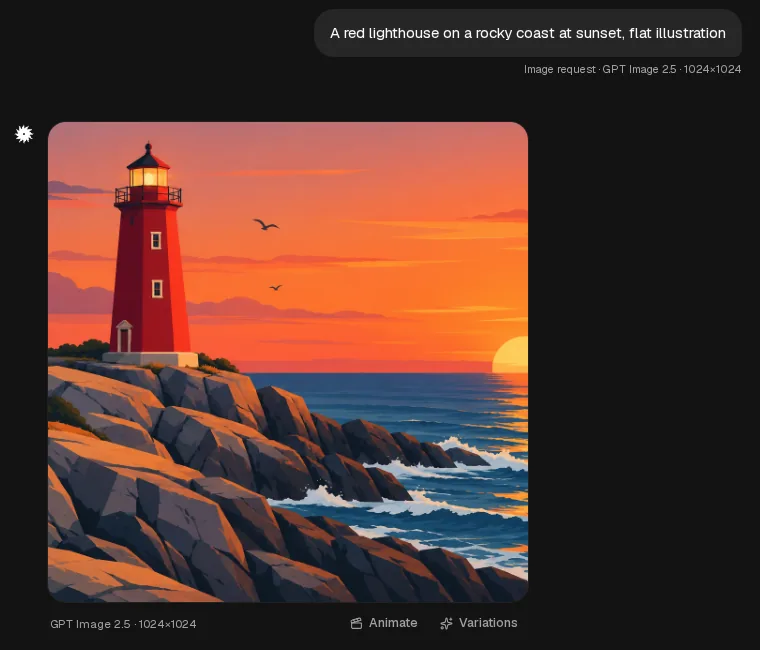
Star chart of the Images, video, audio and 3D constellation: 4 stars, one for each entry of the list on this slide.
An image made in a Vani chat with GPT Image 2.5, a red lighthouse at sunset, with Animate and Variations buttons.
A short clip: a white lighthouse on a rocky sea cliff at dusk, waves crashing against the rocks below.
A clip made in Vani.

Talk to it. Listen back.

  • Dictate

    Tap the mic to dictate, and Vani writes what you say into the message box.

    • Dictate instead of typing, on phone or desktop
  • Listen

    Tap Listen on a reply to hear it read aloud.

    • Pause and resume while a reply plays
Star chart of the Voice constellation: 2 stars and 2 companions, one for each entry of the list on this slide.
The message box while dictating: a red recording dot, a timer and a waveform.
Dictate: the message box while it listens.
A reply in a Vani chat being read aloud: the Listen control is playing.
Listen: a reply being read aloud, its Listen control lit.

Python on your files, in a private sandbox.

  • Code & files

    Vani runs Python on your files in a private, isolated sandbox to analyse data and make charts, spreadsheets, documents and slides.

    • Upload a CSV or a spreadsheet and ask a question
    • Charts show up in the chat
    • Download every file it makes
  • Your coding tools, on Vani

    Point Codex, Claude Code, Cursor, Cline or OpenCode at the Vani API, with a setup guide for each.

  • Editors and SDKs

    Guides for Xcode, VS Code, JetBrains, Microsoft Foundry and the official OpenAI and Anthropic SDKs.

  • Vani inside other assistants

    Add Vani's MCP server to Claude, ChatGPT, Cursor, Claude Code, Codex or Gemini CLI to create images and video and run research there.

  • Code-aware project search

    Add source files to a project; search matches names across styles, so computeBackoff finds compute_backoff.

  • Browser Soon

    Vani opens and reads web pages for you, and asks before it submits a form.

  • Deploy Soon

    Publish an app you build in chat as a live web app.

Star chart of the Code & files constellation: 7 stars, one for each entry of the list on this slide.

Projects, memory, skills and more.

Keep your work together, and let Vani pick up where you left off.

  • Projects with knowledge

    Keep related chats, instructions and files together; Vani answers from the files and shows which ones it used.

  • Memory

    Vani remembers useful details across chats. See, edit or turn it off at any time.

  • Skills

    Save instructions you reuse, import your GPTs and Gems, or add skills from the community gallery.

  • Connectors and MCP servers

    Connect services and your own MCP servers so Vani can read from them and make changes you approve; it suggests one when it would help.

  • Scheduled tasks

    Run a prompt on a schedule you choose; results arrive in your Updates.

  • Monthly recap

    A look back at your month: active days, the models you used most and what you made.

  • Background tasks Soon

    Describe a multi-step job; Vani plans it and works through it while you are away, with a live timeline.

  • Interactive connectors Soon

    Connected services that have their own interface can show it right in the conversation.

Star chart of the Projects, skills and tasks constellation: 8 stars, one for each entry of the list on this slide.

Understand it, not just the answer.

  • Learning mode

    Vani guides you with questions and hints instead of handing over the answer.
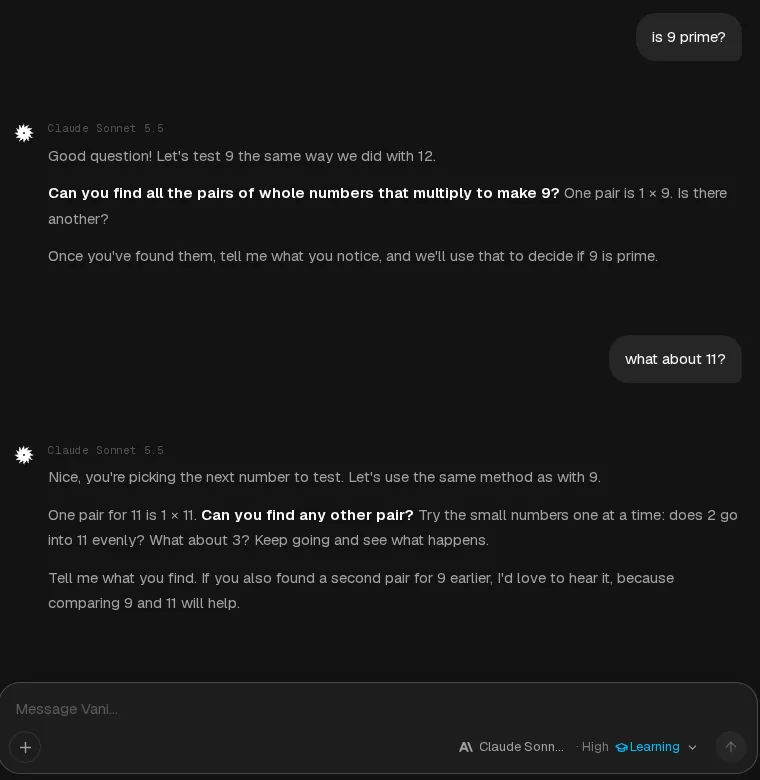
    • Turn it on from the message box
    • Good for study, exams and new topics
Star chart of the Learning mode constellation: 1 star and 2 companions, one for each entry of the list on this slide.
Learning mode in a Vani chat: asked whether 9 is prime, Vani answers with a guiding question instead of the answer.
Learning is switched on in the message box.

Plans that say how far they go.

Every plan publishes how many tokens you can use with each model, per month and per week. Pick a model to compare.

Star chart of the Plans and usage constellation: 4 stars, one for each entry of the list on this slide.

Token figures are estimates from each plan's allowance and the model's rate, rounded down; actual usage depends on your input and output, context length and reasoning. Every model on every plan.

Free

$0 free

  • ~4.4M tokens a month
  • ~1.1M tokens a week

Plus

$18 / month

  • ~125M tokens a month
  • ~28M tokens a week

Pro

$78 / month

  • ~600M tokens a month
  • ~138M tokens a week

Max

$188 / month

  • ~1.4B tokens a month
  • ~333M tokens a week

Ultra

$464 / month

  • ~3.6B tokens a month
  • ~827M tokens a week

  • Usage you can read

    Weekly and billing-period progress with reset times, in plain numbers.

  • Weekly and monthly

    Usage shows as a percentage, with weekly and monthly progress and reset times. A week can use up to about 23% of the month, so the month lasts.

  • Burst

    Week used up early? On Plus, Pro, Max and Ultra, Burst turns the weekly limit off until your plan renews and makes 80% of what is left of your month available right away. Once a month.

  • Extra usage

    Need more? On a paid plan, add Extra usage with a one-time payment. Before you pay, you see what it adds as a share of a month of your plan. It lasts 12 months and is used after your plan's allowance.

One API key, 35 models.

Prepaid, pay as you go: eligible models cost 30% below their verified official rates.

Star chart of the Developer API constellation: 10 stars, one for each entry of the list on this slide.
  • OpenAI- and Anthropic-compatible

    Keep your SDK and change the base URL: Chat Completions, Responses and Messages.

  • Model changes

    Know when a model joins or leaves the API: follow the changelog as an RSS or JSON feed, poll the changes API, or have each change sent to your server as a signed webhook.

  • Prepaid, pay as you go

    Add credit and pay per request. Eligible models cost 30% below their verified official rates.

  • Images and video on the API

    Generate and edit images and make video clips with the same key.

  • Prompt caching

    On models with a cached-input price, prompt tokens served from cache are billed at that lower rate.

  • MCP tools on the API

    Give any model remote MCP tools through the Responses and Messages APIs.

  • A console with the detail

    Usage analytics, the cost of every request, request logs, and your limits and tier.

  • Limits that grow with you

    Rate-limit tiers follow your lifetime deposits; each tier raises your limits.

  • On a paid Vani Chat plan?

    Create API keys billed to your plan in Developer settings (Plus and higher plans).

  • Connector submissions Soon

    Publishers can submit an MCP server to the Connectors directory; each one is reviewed before it is listed.

Prepaid prices per 1M tokens
ModelInputOutput
Claude Sonnet 5.5$1.40official $2.00$7.00official $10.00
GPT-6.1 Sol$1.40official $2.00$7.00official $10.00
Gemini 3.1 Pro$1.40official $2.00$8.40official $12.00
Grok 4.7$1.40official $2.00$4.20official $6.00
Kimi K3$2.10official $3.00$10.50official $15.00
import os
from openai import OpenAI

client = OpenAI(
    base_url="https://api.vani.ai/v1",
    api_key=os.environ["VANI_API_KEY"],  # a vani_ key
)

reply = client.chat.completions.create(
    model="anthropic/claude-sonnet-5.5",
    messages=[{"role": "user", "content": "Hello"}],
)
print(reply.choices[0].message.content)
Star chart of the Privacy constellation: 5 stars, one for each entry of the list on this slide.
  • Training

    We do not use your prompts or completions to train models.

  • Memory

    Memory is yours: see it, edit it or turn it off at any time.

  • Temporary chats

    Temporary chats are not added to your history, but usage, billing and security records of each request are kept.

  • Your data, exportable

    Export a copy of your account's data, or delete the account, from Settings.

  • Cookies and ad pixels

    Our own analytics, and the daily.dev ad pixel's reporting, run only if you accept cookies. The Reddit ad pixel measures our ads either way; ad pixels never see your chats.

Start free in a minute.

Sign up with your email, no card needed, or try guest chat without an account. Upgrade only when you need more.

Start freeTry guest chatGuest chat needs no account.

See plans and pricesBrowse the modelsRead the docsBack to vani.ai

Star chart of the Start free constellation: 5 stars, one for each entry of the list on this slide.
  • Try it without an account

    Guest chat works in your browser with no sign-up.

  • Vani Code Agent for VS Code

    A coding agent in your editor: it edits files with a diff to review and runs commands only when you approve.

  • Desktop app Soon

    For macOS, Windows and Linux.

  • Vani CLI Soon

    Vani from your terminal.

  • Mobile apps Soon

    For iOS and Android.